
LED strip lights flashing can be frustrating, especially when you don’t know the reason. These lights are a great way to brighten up your home, office, or even your car. They are energy-efficient, long-lasting, and come in many styles. But what if your LED strip lights start blinking for no clear reason?
Flashing LED strip lights are a common issue that many users face. It is annoying when your LED strip lights keep flashing or flickering on and off without warning. You may even find yourself asking, “Why are my LED light strips flashing?” or looking for real tips on how to fix LED strip lights flashing.
Don’t worry. In this article, I will break down the most likely causes and the best ways to fix them.
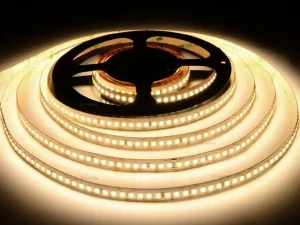
Why Are Your LED Strip Lights Flashing: Common Reasons
If your LED strip lights start flashing right after installation, don’t worry. Flashing can happen for several reasons, and it is often a signal that something in your setup isn’t quite right.
It could be due to a weak power supply, poor-quality parts, or interference from nearby devices. Understanding these causes will help you avoid confusion and resolve the problem more quickly. I’ll share the main reasons and simple ways to fix LED strip lights flashing.
1. Incompatible Power Supply
One of the main reasons LED strip lights blinking is due to the power source. LEDs need a specific voltage and current. If the power supply doesn’t match what the lights need, they may start blinking.
Let’s say your LED strip runs on 12V, but your power supply is giving 9V. That’s not enough, and your lights will flicker.
Solution:
Check the label on your LED strip. Use a power supply that matches the required voltage and has enough amps. If you are unsure, choose a power supply that provides more amps than needed. Just make sure it never exceeds the recommended voltage.

2. Loose or Faulty Connections
If your LED strip lights are flashing in an irregular pattern, the problem might be with the wiring. Loose connections can interrupt the power flow.
A small disconnect between the power adapter and the LED strip may lead to flashing. This often happens when the plugs or wires are loose or not connected.
Solution:
Inspect all connections. Unplug everything and plug it back in. You might want to clean the contact points with a dry cloth. Also, check the wires for damage or fraying.
3. Overloaded Circuit
Are you running too many LED strips on one power supply? If yes, the power source could be overloaded. This can make your lights flicker, dim, or shut off altogether. When LED strips are too long (typically over 16 feet/5 meters), voltage can drop along the strip, causing LEDs farthest from the power supply to flicker or dim.
Solution:
Add up the wattage of all the LED strips you are using to get the total. Your power supply should provide at least 20% more power than needed. For example, if your strips use 40W, choose a supply rated at 50W or higher. Use power injection at multiple points along the strip or use thicker gauge wires to reduce voltage drop.
4. Cheap or Low-Quality LED Strips
Cheaper LED strips often use poor components. These can wear out quickly or fail to work properly from the start. Many users report flashing or blinking soon after buying low-quality products. Sometimes individual LED chips or sections of the strip may become faulty due to wear or damage, causing flickering in that area. Testing and replacing damaged segments can solve the issue.
Solution:
Buy LED strips from trusted brands. Look for ones with good reviews and safety certifications. They may cost a bit more, but they last longer and perform better.
5. Faulty Dimmer Switch
Not all dimmer switches work with LED strip lights flashing. If your setup includes a dimmer, it might be causing the flickering.
Some dimmers are made for traditional bulbs and don’t work well with LEDs. Others may not match your power supply or strip type.
Solution:
Use an LED-compatible dimmer. Ensure it matches the voltage and power requirements of your strip lights. If the problem stops when you remove the dimmer, you’ve found your issue.

6. Heat Build-Up
LEDs don’t like heat. If your strip lights are packed too tightly or placed on a warm surface, they may overheat. This can lead to flickering or complete failure.
Solution:
Install your strips on a cool, flat surface, such as metal or aluminum. This helps draw heat away. Also, make sure there is airflow around them, especially in enclosed spaces.
7. Controller Issues
If you are using RGB or smart LED strips, a controller handles the color changes and effects. A bad or wrong set controller can send wrong signals, making your lights blink or flash.
Solution:
Reset or replace the controller. Check if the remote or app is working correctly. Changing the batteries in your remote can solve the issue.
8. Interference or Signal Problems (for Smart LEDs)
Smart LED strips that work with Wi-Fi or Bluetooth may flash if there is interference in the signal. Other electronic devices might interrupt the connection.
Solution:
Avoid placing your LED controller near Wi-Fi routers or high-interference devices such as microwaves. If needed, reset your smart LED setup and reconnect it to a stable signal.
Quick Troubleshooting Guide for Flashing LED Strip Lights
Here is a quick overview of common symptoms and how to fix flashing LED strip lights at a glance. Use this table to identify the issue based on what you are seeing and apply the recommended fix.
| Issue | Symptoms | Solution |
|---|---|---|
| Incompatible Power Supply | Flashing right after turning on | Use correct voltage and higher amp-rated power supply |
| Loose or Faulty Connections | Irregular flickering or blinking | Check and secure all plugs and wire connections |
| Overloaded Circuit | Flickering when multiple strips used | Ensure total wattage is within 80% of power supply’s capacity |
| Low-Quality LED Strips | Flashing shortly after installation | Use trusted brands with proper certifications |
| Faulty Dimmer Switch | Flickering when dimming is applied | Use a dimmer compatible with LED strips |
| Heat Build-Up | Flashing after long use | Install on heat-dissipating surfaces and ensure good ventilation |
| Controller Problems | Random blinking with smart lights | Reset or replace controller; check app or remote |
| Interference (Smart LEDs) | Unstable behavior in smart setups | Move away from strong signals or reset Wi-Fi/Bluetooth connections |
How to Fix LED Strip Lights Flashing: Step by Step
If your LED strip lights are flashing, follow these clear steps to identify and solve the issue. Flashing LED strip lights often point to power mismatches, poor connections, and circuit overload.
No matter if your lights are flashing on and off or blinking randomly, you can fix this. Here are the solutions to fix your lights and get them working properly.
- Check the Power Supply: Ensure the voltage and amperage match your LED strip.
- Connections: Ensure all connections are secure and free from wear or damage.
- Review Load Capacity: Don’t overload the supply. Add up the total watts.
- Test Without Dimmer or Controller: Remove each one individually to identify the issue.
- Switch Off and Cool Down: Let the lights rest if they feel hot.
- Replace Cheap Components: Try using high-quality LED strips and adapters.
- Use Compatible Accessories: Only use dimmers and controllers made for LEDs.
- Reset Smart Features: If using smart strips, restart and update apps or remotes.
By following these simple steps, you can resolve most issues with your LED strip lights blinking. Always check your setup carefully and use good-quality parts for better performance.
Tools You Will Need To Fix LED Lights
Here is a quick checklist of tools you will need:
- Multimeter (for testing voltage)
- Extra power supply (for testing)
- Spare LED connectors
- Heat-resistant mounting tape
- Compatible dimmer or controller (for testing swaps)
These tools can save time and help you pinpoint the problem quickly.

How to Prevent Future LED Strip Lights Flashing Issues
Prevention is easier than fixing. Here are a few simple tips to stop your LED strip lights flashing so they start working perfectly:
- Always use the correct power supply.
- Don’t cut or connect strips unless you know how.
- Avoid placing them in hot or humid areas.
- Test new setups before final installation.
- Spending a little extra on quality parts can save you trouble later.
No need to replace them when you fix them easily.
FAQs
Why are my LED strip lights blinking and not staying on?
This often means the power supply is not strong enough or the wires are loose. Try checking both.
Can LED strips flash due to a low battery (in portable setups)?
Yes, if you are using battery power, a low battery can cause flashing. Recharge or replace it.
Do all flashing lights mean something is broken?
No, sometimes flashing is part of the light’s feature. But if it happens without reason, it’s likely a fault.
Why is my LED light strip flashing on and off?
It is usually due to a power issue. Either the power supply is too weak, faulty, or not properly connected. It could also be a problem with the controller, a damaged strip, or incorrect voltage. Check all connections and make sure the power supply matches the strip’s requirements.
Final Words
LED strip lights flashing can be annoying, but the fix is often simple. Whether it is a loose wire, a bad power supply, or the wrong dimmer, you can solve it with a few checks. The key is to understand how your setup works and ensure that all parts are compatible.
Keep things safe, and your LED lights will keep glowing beautifully for years.